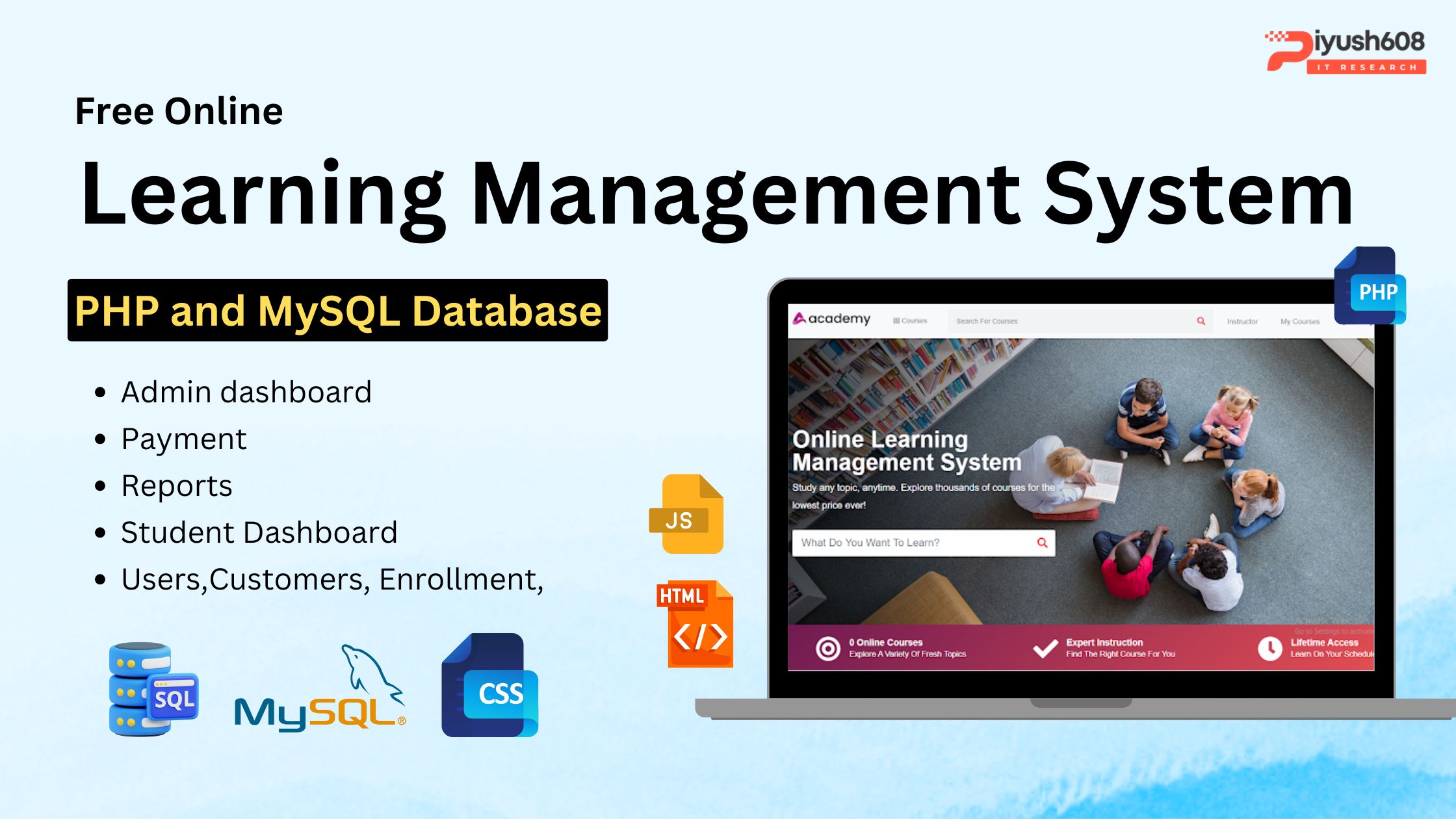
The Free Online Learning Management System (LMS) in PHP is a powerful web-based application designed to simplify and automate e-learning processes. Developed using PHP and MySQL, along with JavaScript, HTML, CSS, Ajax, Modal, and Bootstrap, this system offers a user‑friendly interface and robust functionality for both administrators and students.
This Free PHP LMS Script allows educational institutions, coaching centers, universities, and training organizations to manage courses, students, teachers, exams, and learning materials efficiently. The PHP MySQL Learning Management System supports role-based dashboards, online assessments, dynamic course creation, and secure user authentication, making it an ideal choice for modern e-learning environments.
Designed as a Free Online LMS in PHP, the platform supports responsive layouts, real-time performance tracking, and seamless content delivery. It is easy to install, highly customizable, and perfect for developers looking for a complete open‑source e-learning system. The system’s modular structure ensures smooth scalability, while built-in admin features help track progress, manage classes, upload resources, and monitor student engagement.
Whether you’re looking to download a free Learning Management System in PHP, create your own e-learning portal, or study a PHP MySQL LMS project with source code, this tool provides all the essential features for digital education management.
Looking for a Professional Website Development Company in Noida?
Looking to hire the best website development company in Noida or searching for a professional website designer who understands modern digital trends? Your search ends here.
Piyush608 Delhi is recognized as one of the most trusted website designing companies in Delhi, delivering visually stunning, easy‑to‑navigate, and performance‑driven websites for businesses of all sizes. Whether you’re launching a new startup, building an e‑commerce store, or revamping an outdated corporate site, our expert team ensures your brand stands out in today’s competitive digital landscape.
As a leading website designer and digital marketing company, Piyush608 focuses on creating mobile‑responsive, SEO‑optimized, and conversion‑oriented websites that help businesses grow faster. We combine beautiful UI/UX design with strategic SEO, fast loading speed, and strong digital branding to deliver an online presence that not only attracts traffic but also converts visitors into customers.
Key Features of Online Learning Management System
Admin Dashboard
The admin dashboard acts as the central hub for managing all aspects of the LMS:
- Categories Management: Add new categories with attributes like category code, title, parent category, icon picker, and thumbnail.
- Course Management: View active, pending, free, and paid courses. Filter courses by category, status, instructor, and price.
- Student Management: Add, edit, and delete student profiles. Search students by criteria.
- Enrollment Management: Monitor enrollment history and enroll students in courses.
- Reporting: Generate reports on revenue, enrolled courses, and enrollment status.
- Settings: Configure system settings, payment options, instructor settings, language preferences, SMTP settings, and more.
Student Panel
- Sign Up & Login: Students can create accounts and log in securely.
- Course Selection: Browse and select courses under admin approval.
- Communication: Chat with admin for inquiries or support.
- Profile Management: Update personal details and view enrolled courses.
Online Learning Management System ER Diagram

USER Entity:
- UserID: Unique identifier for each user.
- Username: User’s username for authentication.
- Password: User’s password for authentication.
- Email: User’s email address for communication.
- Role: Role of the user in the system (e.g., student, instructor, admin).
CATEGORY Entity:
- CategoryID: Unique identifier for each category.
- CategoryCode: Code representing the category.
- CategoryTitle: Title or name of the category.
- ParentCategoryID: Identifier indicating the parent category (if any).
COURSE Entity:
- CourseID: Unique identifier for each course.
- CourseTitle: Title or name of the course.
- Description: Description providing details about the course content.
- Status: Status of the course (e.g., active, inactive).
- InstructorID: Identifier of the instructor associated with the course.
- CategoryID: Identifier of the category to which the course belongs.
- Price: Price of the course.
- Currency: Currency in which the course price is specified.
STUDENT Entity:
- StudentID: Unique identifier for each student.
- Name: Name of the student.
- Email: Email address of the student.
- PhotoURL: URL pointing to the student’s profile photo.
- EnrolledCoursesIDs: List of course IDs in which the student is enrolled.
ENROLLMENT Entity:
- EnrollmentID: Unique identifier for each enrollment record.
- StudentID: Identifier of the student enrolled in the course.
- CourseID: Identifier of the course in which the student is enrolled.
- EnrollmentDate: Date when the student enrolled in the course.
- Status: Status of the enrollment (e.g., pending, completed).
REPORT Entity:
- ReportID: Unique identifier for each report.
- ReportType: Type or category of the report.
- GeneratedDate: Date when the report was generated.
- Details: Additional details or information included in the report.
INSTRUCTOR Entity:
- InstructorID: Unique identifier for each instructor.
- Name: Name of the instructor.
- Email: Email address of the instructor.
- Bio: Biography or profile description of the instructor.
- Specialization: Area of specialization or expertise of the instructor.
- PhotoURL: URL pointing to the instructor’s profile photo.
How To Run the System
Requirements and Installation
1st Step: Firstly, Extract the file
2nd Step: After that, Copy the main project folder
3rd Step: So, you need to Paste in xampp/htdocs
4th Step: So, for now, Open a browser and go to URL “http://localhost/phpmyadmin/”
5th Step: After that, Click on the databases tab
6th Step: So, Create a database naming “dblms” and then click on the import tab
7th Step: Certainly, Click on browse file and select “dblms.sql” file which is inside the “db” folder
8th Step: Meanwhile, click on Go button.
9th Step: Moreover, Open a browser and go to URL “http://localhost/Online_Learning_Management_System”
Learning management system free download Project
- Name of Project: Online Learning Management System
- Language Used: PHP
- Database Used: MySQL
- Design Interface: Bootstrap JavaScript, HTML, Ajax, JQuery,
- Browser: Opera Mozilla Google Chrome IE8,
- Software: WAMP/ XAMPP/ LAMP/MAMP
FAQs
Q1. What is an Online Learning Management System in PHP MySQL?
It is a web-based application developed using PHP and MySQL that helps manage online courses, students, instructors, and payments efficiently.
Q2. Is this Learning Management System free to download?
Yes, you can download the source code for free from trusted repositories like GitHub or educational project sites.
Q3. What features does this LMS include?
- Admin dashboard for managing categories, courses, students, and enrollments.
- Student panel for course selection and profile management.
- Online chat between students and admin.
- Reporting and payment settings.
Q4. What are the technical requirements to run this system?
You need Apache server (XAMPP/WAMP), PHP (≥7.x), MySQL database, and a modern browser.
Q5. How do I install the LMS?
Download the source code, place it in htdocs (XAMPP), create a database in phpMyAdmin, import the .sql file, and update database credentials in the config file.
Q6. Can I customize this system?
Yes, since it’s built on PHP and MySQL, you can easily modify the code to add new features or change the design.
Q7. Does it support paid and free courses?
Yes, the system allows admins to manage both free and paid courses with filtering options.

Read this also :



 +91 7905834592
 Enquiry Now
 piyushmnm@gmail.com
 piyush.gupta384
Reviews
There are no reviews yet. Be the first one to write one.