
An online banking system is a web-based application that allows customers to access banking services through the internet. Using a secure login, customers can:
-
View account details
-
Transfer money between accounts
-
Check transaction history
-
Pay bills
-
Manage their profiles
Banks and administrators use it to manage customers, accounts, transactions, and security settings.
Features of Online Banking System (PHP + MySQL)
Customer Features
-
User Registration & Login – Secure authentication system
-
Dashboard – Overview of account, balance, and recent transactions
-
Fund Transfer – Transfer money between accounts securely
-
Transaction History – Track deposits, withdrawals, and transfers
-
Profile Management – Update personal details, contact info, and password
-
Bill Payments (Optional) – Pay utility or service bills directly
-
Account Statements – Download or view statements online
Admin Features
-
Admin Dashboard – View total customers, active accounts, and transactions
-
Customer Management – Add, edit, or delete customer records
-
Account Management – Create new accounts, update balances, freeze accounts
-
Transaction Monitoring – View deposits, withdrawals, transfers in real-time
-
Reports & Logs – Generate daily/monthly reports of banking activities
-
Security Settings – Manage user authentication and system security
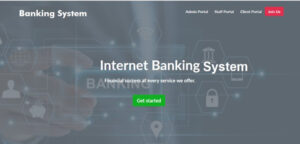
Modules in Online Banking System
1. Authentication Module
-
Secure login system using PHP sessions
-
Password hashing with
password_hash() -
Role-based access (Customer, Admin)
2. Account Management Module
-
Customers can check account details & balance
-
Admins can create/update/delete accounts
3. Transaction Module
-
Fund transfer between accounts
-
Deposit/withdraw functionality
-
Transaction history with time & reference ID
4. Profile Module
-
Customers can manage their personal details
-
Option to reset/change password
5. Reports Module
-
Admin can generate PDF/CSV reports of transactions
-
Monitor suspicious activities
Requirements
Almost all servers already have them installed.
- PHP 5, 7, 8
- MYSQL Database
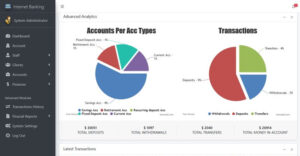
Step by step to run the script (installation)
A server is required to run this project. We will be using XAMPP.
For XAMPP
- The script is provided below, click on download to start downloading the script.
- Go to your download folder in your Pc and extract the source code folder.
- Copy the folder you extracted and paste it in (for XAMPP xampp/htdocs, for WAMPP wampp/www, for LAMPP var/www/html) root directory in your pc.
- Open your XAMPP Control panel and start Apache and MYSQL.
Creating a database
- Open your browser
- Go to this path “http://localhost/phpmyadmin/”
- Click on New on the left side of the screen.
- Create a database named “internetbanking_db”.
- Click on the import tab.
- Click on browse file and select “internetbanking_db.sql” from the DATABASE folder we extracted.
- Click on Go.
After creating a database
- Open a new tab on your browser and go to the path. E.g. “http://localhost/Internet-banking/” OR http://localhost/[The project folder]/. The home page will be displayed; from there you can access different portals which are on the website.
- You can then click on the admin, staff or client portal to display the login page for that level.
- Login using the details below.
This online banking system can be used by IT students for their projects. It is written in PHP and uses MySQL database. This web application can be downloaded below, using the links provided below. You might get errors if you use PHP version greater or lesser than the one we have provided in the requirements.
Login info
Admin Login Details
Email: admin@mail.com
Password: alphacodecamp.com.ng
Staff Login Details
Email: staff@mail.com
Password: alphacodecamp.com.ng

Read this also :



 +91 7905834592
 Enquiry Now
 piyushmnm@gmail.com
 piyush.gupta384
Reviews
There are no reviews yet. Be the first one to write one.