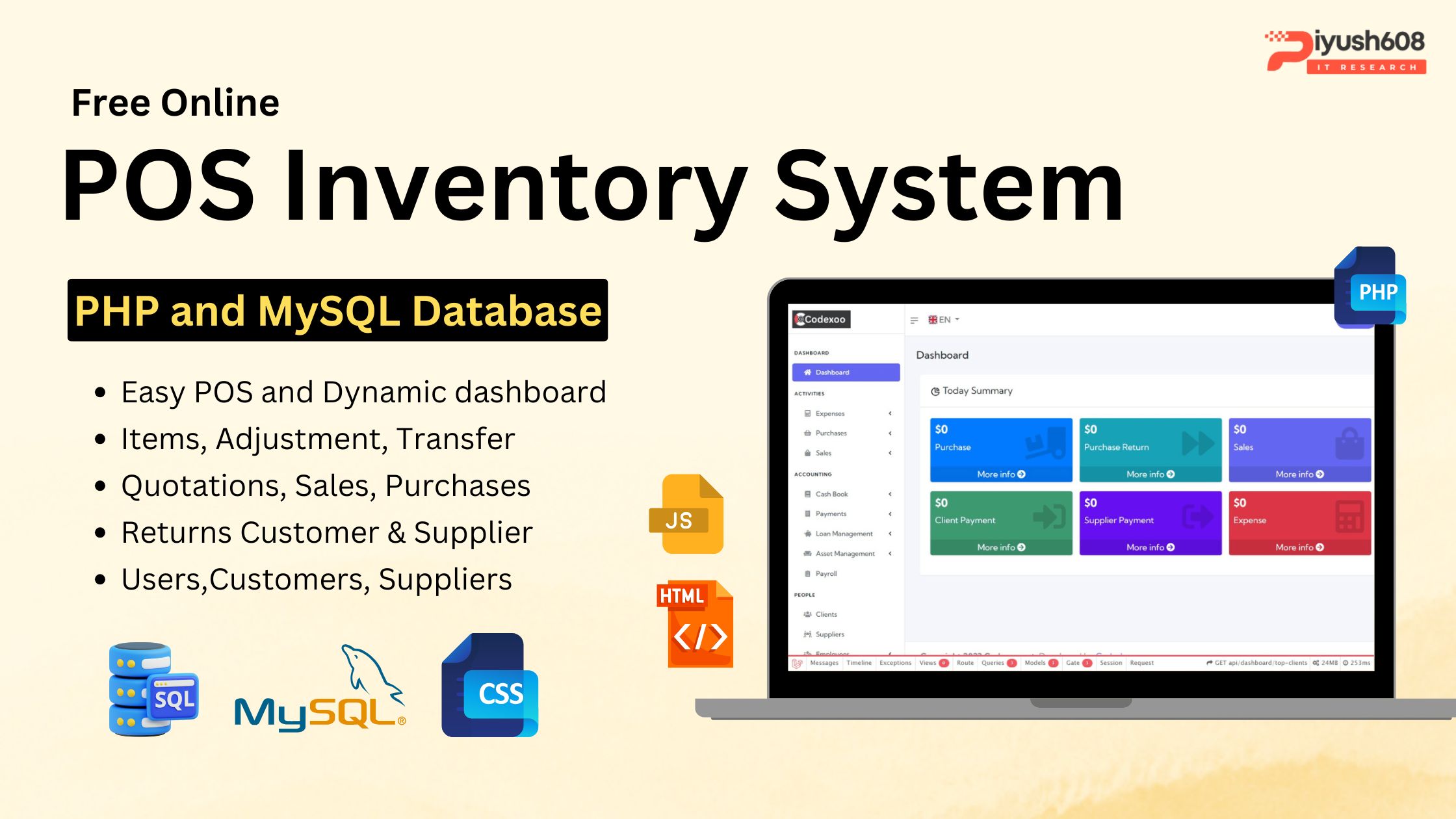
n today’s fast-paced business world, managing sales, inventory, and daily operations manually is no longer efficient. Businesses need faster, smarter, and automated solutions that save time, reduce errors, and streamline workflows. This is where an Online POS Management and Inventory System Download becomes a game changer.
Whether you run a retail store, supermarket, restaurant, pharmacy, or wholesale business, a cloud-based POS system ensures your entire business runs smoothly — anytime, anywhere. From tracking stock levels and generating invoices to managing customers and employees, everything becomes automated with a single system.
In this complete guide, we explore what an online POS system is, how it works, and why modern businesses must adopt one.
What is an Online POS Management System?
An Online Point of Sale (POS) system is a cloud-based platform that allows businesses to process sales, accept payments, and manage customer transactions in real time. Unlike traditional POS machines, an online POS runs through a web browser or mobile app and syncs all data on the cloud.
This means business owners can:
-
Monitor sales anytime
-
Check stock levels remotely
-
Manage multiple branches
-
Access reports instantly
It’s secure, scalable, and ideal for businesses of all sizes.
What is an Inventory Management System?
An inventory management system helps businesses track product quantities, stock movement, purchase history, and supplier records. It ensures that:
-
You always have items in stock
-
Overstocking is avoided
-
Losses and wastage are minimized
-
Reordering happens automatically
When combined with POS, it becomes a powerful business management solution.
Why Your Business Needs an Online POS and Inventory System
1. Real-Time Sales & Inventory Tracking
With a cloud-based POS, every sale is recorded instantly. The inventory module updates stock levels in real time, helping you avoid:
-
Stockouts
-
Overstocking
-
Mismanagement
You always know what’s available and what needs to be reordered.
2. Faster and Accurate Billing
Manual billing is slow and error-prone. An online POS system provides:
-
Quick invoice generation
-
Barcode/QR code scanning
-
Digital receipts (SMS/Email)
-
Multiple payment options
This improves customer satisfaction and speeds up operations.
3. Centralized System for Multiple Branches
Managing more than one store becomes easy. The system allows:
-
Centralized inventory
-
Cross-store stock movement
-
Unified reporting
-
Independent user permissions
Owners can track each branch from a single dashboard.
4. Improved Business Security
An online POS reduces risks like:
-
Data loss
-
Staff manipulation
-
Manual record tampering
-
Misreporting
Cloud backups ensure your business data is always safe.
5. Detailed Reports and Analytics
Smart reports help to make data-driven decisions:
-
Daily, weekly, monthly sales
-
Best and worst-selling items
-
Profit & loss reports
-
Employee performance
-
Inventory valuation
These insights help optimize pricing, promotions, and purchases.
6. Customer Relationship Management (CRM)
Modern POS systems come with built-in CRM features:
-
Customer purchase history
-
Digital loyalty programs
-
Discounts and offers
-
SMS/Email marketing
This helps businesses retain customers and increase recurring sales.
7. Staff & Role Management
Assign permissions to staff based on roles:
-
Cashier
-
Manager
-
Accountant
-
Admin
This ensures better control and accountability.
Key Features of an Online POS & Inventory System
A complete cloud-based POS software includes:
✓ Billing & Invoicing
Barcode-based billing, digital invoices, multi-payment support.
✓ Inventory Management
Stock tracking, batch management, low-stock alerts, auto reordering.
✓ Purchase & Supplier Management
Purchase orders, supplier database, purchase returns.
✓ Customer Management
Customer profiles, loyalty points, purchase history.
✓ Product Management
Product categories, variations, units, taxes, barcodes.
✓ Multi-Branch Support
Individual branch reports, centralized control.
✓ Expense & Accounts Tracking
Daily expenses, revenue calculation, profit analysis.
✓ Reports & Analytics
Sales reports, tax reports, stock movement, performance insights.

Benefits of Using an Online POS System
1. Increased Efficiency
Faster billing and automated processes save time.
2. Better Accuracy
Reduces calculation errors and avoids manual mistakes.
3. Complete Business Control
Owners can track their business from anywhere via laptop or phone.
4. Enhanced Customer Experience
Quick checkout and digital receipts improve satisfaction.
5. Improved Profitability
Accurate reports help in better planning and decision-making.
Server Requirements
These following are the server requirements of Online POS Management and Inventory System:
- PHP >= 7.3.0
- Mysql 5.x or higher
- BCMath PHP Extension
- Ctype PHP Extension
- Fileinfo PHP Extension
- GD2 PHP Extension
- JSON PHP Extension
- Mbstring PHP Extension
- OpenSSL PHP Extension
- PDO PHP Extension
- Tokenizer PHP Extension
- XML PHP Extension
Installation on the Server
These are the steps on how to install the POS Management and Inventory System on the Server:
- Step 1: Log in to cPanel and navigate to File Manager
- Step 2: Do not develop to work in sub subfolder. Create a subdomain or use it in the main domain, then click “Upload.”
- Step 3: Select your zip file and wait for the upload to complete
- Step 4: Unzip the uploaded file
- Step 5: Go back to cPanel and navigate to Databases
FAQs
1. What is an Online POS Management and Inventory System?
An Online POS Management and Inventory System is a cloud-based solution that allows businesses to handle sales, billing, customer management, and inventory tracking from one centralized platform. It offers real-time updates and can be accessed from any device with an internet connection.
2. How does an online POS system work?
The system processes sales, updates stock levels instantly, records transactions, and generates invoices. All data—such as inventory, customer details, and sales reports—is stored securely in the cloud and can be viewed anytime.
3. Who can use this POS and inventory system?
It is ideal for retail stores, supermarkets, restaurants, pharmacies, clothing shops, hardware stores, wholesalers, and any business that needs efficient sales and stock management.
4. What features are included in an online POS system?
Key features include sales billing, product management, real-time inventory tracking, barcode scanning, purchase management, customer profiles, multi-branch support, expense tracking, and detailed reporting.
5. Is internet required to use the online POS system?
Yes, since it is cloud-based, an internet connection is required for real-time syncing and data access. However, some systems may offer offline mode with auto-sync when the connection restores.
6. Can this system manage multiple branches?
Absolutely. The system supports multi-branch operations where each store can have its own staff, products, and reports while keeping inventory and sales centralized.
7. Does the POS support barcode or QR code scanning?
Yes, most online POS systems support barcode and QR code scanning for faster and more accurate billing and stock management.
8. Is my business data secure on the cloud?
Yes, cloud POS systems use encryption, secure login, role-based access, and automated backups to ensure your data is safe from loss or unauthorized access.
9. Can I access the system from mobile or tablet?
Yes. Since the system is web-based, you can access it from laptops, tablets, or smartphones from anywhere.
10. Does the POS system generate sales and stock reports?
Yes, it provides detailed reports such as sales summaries, inventory valuation, product performance, profit & loss, supplier reports, and purchase history.
11. Can I track supplier purchases and stock transfers?
Yes. The system includes purchase management, supplier records, purchase orders, stock adjustments, and inter-branch stock transfers.
12. Is training required to use the POS system?
The interface is usually user-friendly and intuitive. Basic training may be needed for billing and inventory modules, but most users can operate it easily after a brief walkthrough.
13. Can I customize the POS and inventory system for my business?
Yes, depending on the software, you can customize tax settings, invoice formats, discount options, product categories, and user permissions.
14. Is customer management included in the system?
Yes. You can maintain customer profiles, purchase history, loyalty points, and contact details for marketing or reward programs.
15. How does the system help increase business efficiency?
It automates billing, reduces errors, prevents stock issues, provides real-time updates, and gives detailed analytics—helping you make smarter decisions and improve growth.
Conclusion
An Online POS Management and Inventory System is no longer a luxury—it is a necessity for businesses of all sizes. It helps in streamlining operations, reducing losses, improving customer satisfaction, and boosting overall profitability. Whether you are running a retail store or a restaurant, switching to a cloud POS system can transform your business with automation and smart analytics.
Login Details as below
Email: admin@example.com
Password: 123456