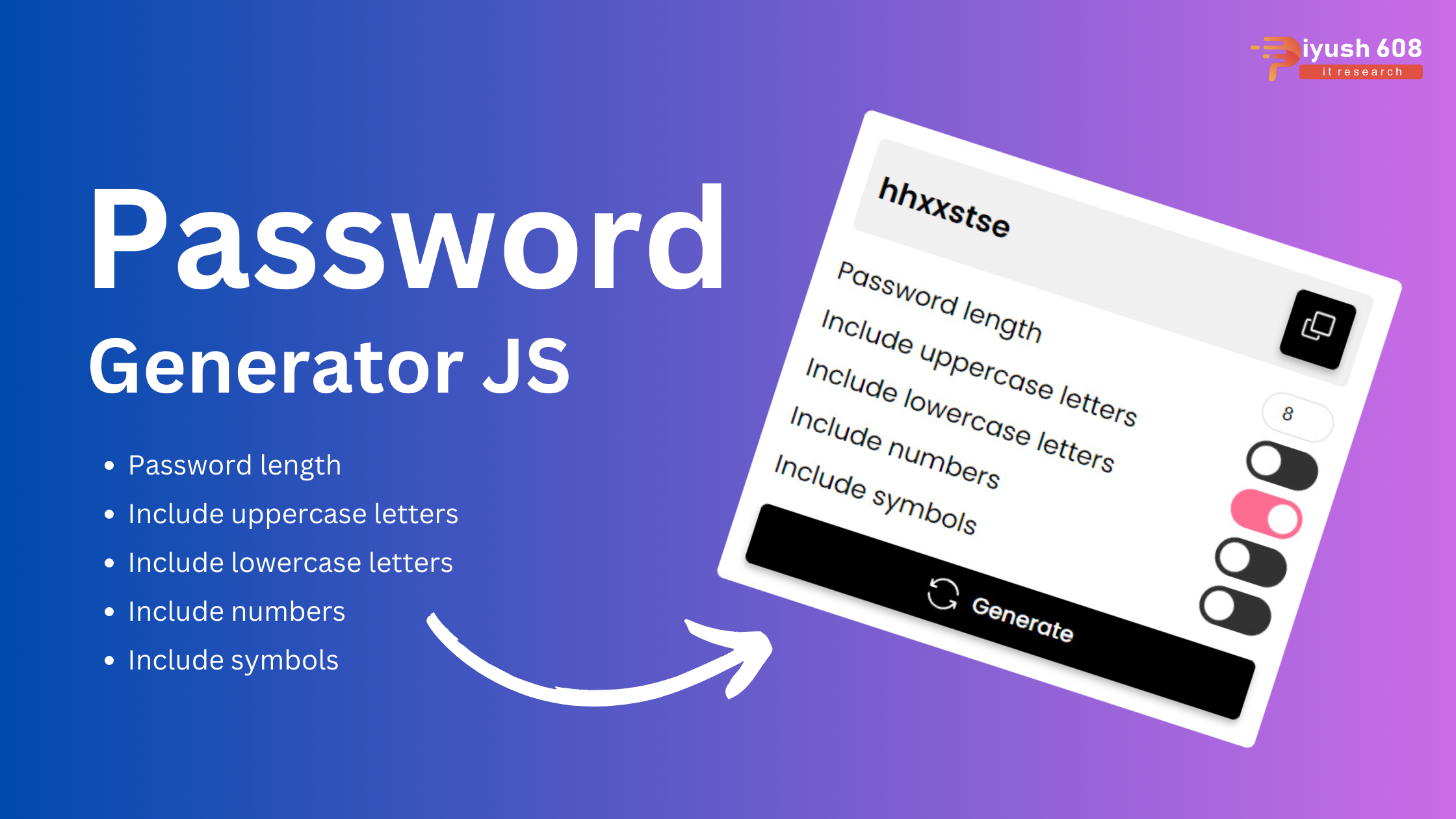
Creating a Password Generator using HTML, CSS, and JavaScript involves creating an interface where users can specify password criteria (length, inclusion of numbers, special characters, etc.) and then generate a password based on those criteria. Below is an example implementation:
HTML (index.html)
<!DOCTYPE html>
<html lang="en">
  <head>
    <meta charset="UTF-8" />
    <meta http-equiv="X-UA-Compatible" content="IE=edge" />
    <meta name="viewport" content="width=device-width, initial-scale=1.0" />
    <title>Password Generator</title>
    <link rel="stylesheet" href="style.css" />
  </head>
  <body>
    <h1>Password Generator</h1>

    <main>
      <section>
        <span id="output"></span>
        <button id="copy">
          <svg
            xmlns="http://www.w3.org/2000/svg"
            viewBox="0 0 24 24"
            width="24"
            height="24"
          >
            <path
              d="M7.024 3.75c0-.966.784-1.75 1.75-1.75H20.25c.966 0 1.75.784 1.75 1.75v11.498a1.75 1.75 0 0 1-1.75 1.75H8.774a1.75 1.75 0 0 1-1.75-1.75Zm1.75-.25a.25.25 0 0 0-.25.25v11.498c0 .139.112.25.25.25H20.25a.25.25 0 0 0 .25-.25V3.75a.25.25 0 0 0-.25-.25Z"
            ></path>
            <path
              d="M1.995 10.749a1.75 1.75 0 0 1 1.75-1.751H5.25a.75.75 0 1 1 0 1.5H3.745a.25.25 0 0 0-.25.25L3.5 20.25c0 .138.111.25.25.25h9.5a.25.25 0 0 0 .25-.25v-1.51a.75.75 0 1 1 1.5 0v1.51A1.75 1.75 0 0 1 13.25 22h-9.5A1.75 1.75 0 0 1 2 20.25l-.005-9.501Z"
            ></path>
          </svg>
          <span>Copy</span>
        </button>
      </section>

      <ul>
        <li>
          <label for="length">Password length</label>
          <input type="number" id="length" value="8" min="6" max="120" />
        </li>
        <li>
          <label for="uppercase">Include uppercase letters</label>
          <input type="checkbox" id="uppercase" checked />
        </li>
        <li>
          <label for="lowercase">Include lowercase letters</label>
          <input type="checkbox" id="lowercase" checked />
        </li>
        <li>
          <label for="number">Include numbers</label>
          <input type="checkbox" id="number" />
        </li>
        <li>
          <label for="symbol">Include symbols</label>
          <input type="checkbox" id="symbol" />
        </li>
      </ul>

      <button id="generate">
        <svg
          xmlns="http://www.w3.org/2000/svg"
          viewBox="0 0 24 24"
          width="24"
          height="24"
        >
          <path
            d="M3.38 8A9.502 9.502 0 0 1 12 2.5a9.502 9.502 0 0 1 9.215 7.182.75.75 0 1 0 1.456-.364C21.473 4.539 17.15 1 12 1a10.995 10.995 0 0 0-9.5 5.452V4.75a.75.75 0 0 0-1.5 0V8.5a1 1 0 0 0 1 1h3.75a.75.75 0 0 0 0-1.5H3.38Zm-.595 6.318a.75.75 0 0 0-1.455.364C2.527 19.461 6.85 23 12 23c4.052 0 7.592-2.191 9.5-5.451v1.701a.75.75 0 0 0 1.5 0V15.5a1 1 0 0 0-1-1h-3.75a.75.75 0 0 0 0 1.5h2.37A9.502 9.502 0 0 1 12 21.5c-4.446 0-8.181-3.055-9.215-7.182Z"
          ></path>
        </svg>
        <span>Generate</span>
      </button>
    </main>

    <script src="script.js"></script>
  </body>
</html>
CSS (styles.css)
@import url("https://fonts.googleapis.com/css2?family=Poppins:wght@400;500;600;700&display=swap");

* {
  padding: 0;
  margin: 0;
  box-sizing: border-box;
}

body {
  padding: 2rem;
  font-family: "Poppins", sans-serif;
  height: 100vh;
  background: #8e2de2;
  background: linear-gradient(to bottom, #8e2de2, #4a00e0);
}

h1 {
  text-align: center;
  color: #fff;
}

button {
  background: #000;
  color: #fff;
  border: none;
  border-radius: 5px;
  padding: 10px;
  cursor: pointer;
  box-shadow: 0 3px 5px rgba(0, 0, 0, 0.25);
}

button:hover {
  background: #8e2de2;
}

button svg {
  fill: currentColor;
  width: 24px;
  height: 24px;
}

main {
  background-color: #fff;
  max-width: 400px;
  min-width: 400px;
  margin: 1rem auto;
  padding: 1rem;
  border-radius: 5px;
  box-shadow: 0 10px 15px rgba(0, 0, 0, 0.5);
}

main > button {
  width: 100%;
  display: flex;
  align-items: center;
  justify-content: center;
  gap: 10px;
  font-family: "Poppins", sans-serif;
  font-size: 1rem;
  font-weight: 500;
}

section {
  background: #f0f0f0;
  padding: 10px;
  border-radius: 5px;
  display: flex;
  justify-content: space-between;
  align-items: center;
  gap: 10px;
}

section button span {
  display: none;
}

section span {
  flex-grow: 1;
  font-size: 1.35rem;
  font-weight: 600;
  white-space: nowrap;
  overflow: hidden;
  text-overflow: ellipsis;
}

ul {
  list-style-type: none;
  margin: 1rem 0;
}

ul li {
  display: flex;
  align-items: center;
  justify-content: space-between;
  margin-bottom: 0.5rem;
  font-size: 1.15rem;
}

input[type="number"] {
  width: 3.25rem;
  height: 1.75rem;
  border-radius: 1.75rem;
  border: 1px solid #ddd;
  text-align: center;
  outline: none;
  overflow: hidden;
}

input[type="checkbox"] {
  appearance: none;
  width: 3.25rem;
  height: 1.75rem;
  border-radius: 1.75rem;
  background: #323232;
  cursor: pointer;
  position: relative;
}

input[type="checkbox"]::after {
  content: "";
  background-color: #fff;
  position: absolute;
  left: 0;
  width: 1.75rem;
  height: 1.75rem;
  border-radius: 100%;
  transform: scale(0.75);
  transition: all 150ms;
}

input[type="checkbox"]:checked::after {
  left: calc(100% - 1.75rem);
}

input[type="checkbox"]:checked {
  background-color: #ff1e56;
}

input[type="checkbox"]:checked:disabled {
  background-color: #ff6c91;
}
JavaScript (scripts.js)
const charRange = {
  uppercase: "ABCDEFGHIJKLMNOPQRSTUVWXYZ",
  lowercase: "abcdefghijklmnopqrstuvwxyz",
  number: "0123456789",
  symbol: "!@#$%^&*_+?",
};

const output = document.getElementById("output");
const length = document.getElementById("length");
const checkboxes = document.querySelectorAll('input[type="checkbox"]');
const generateButton = document.getElementById("generate");
const copyButton = document.getElementById("copy");

copyButton.addEventListener("click", copyPassword);

document.addEventListener("DOMContentLoaded", generate);

generateButton.addEventListener("click", generate);

length.addEventListener("change", generate);

checkboxes.forEach((checkbox) => checkbox.addEventListener("change", generate));

function generate() {
  const len = parseInt(length.value);

  if (len < parseInt(length.min) || len > parseInt(length.max)) {
    output.textContent = "Invalid length";
    return;
  }

  const checkedOptions = [...checkboxes].filter((checkbox) => checkbox.checked);

  checkedOptions.map(
    (checkbox) => (checkbox.disabled = 1 === checkedOptions.length)
  );

  output.textContent = createPassword(len, checkedOptions);
}

function createPassword(len, options) {
  let charList = "";

  options.forEach((option) => (charList += charRange[option.id]));

  let password = "";
  for (let i = 0; i < len; i++) {
    password += charList.charAt(Math.floor(Math.random() * charList.length));
  }

  return password;
}

function copyPassword() {
  const password = output.textContent;
  if (!password) return;

  navigator.clipboard.writeText(password).then(() => {
    alert("Password copied to clipboard");
  });
}
Explanation
- HTML:
- The
index.htmlfile contains the structure of the password generator interface. Users can specify the length and the types of characters to include in the password.
- The
- CSS:
- The
styles.cssfile styles the form and the generated password display area.
- The
- JavaScript:
- The
scripts.jsfile contains thegeneratePasswordfunction, which creates a password based on the user-selected criteria. It checks which character types are selected, constructs a pool of characters to choose from, and generates a random password of the specified length.
- The
Setup
- Create three files:
index.html,styles.css, andscripts.js. - Copy the respective code into these files.
- Open
index.htmlin your browser to use the password generator.
Feel free to enhance this project by adding more features or improving the design as per your requirements.
Published: July 25, 2024
piyush
JS Project