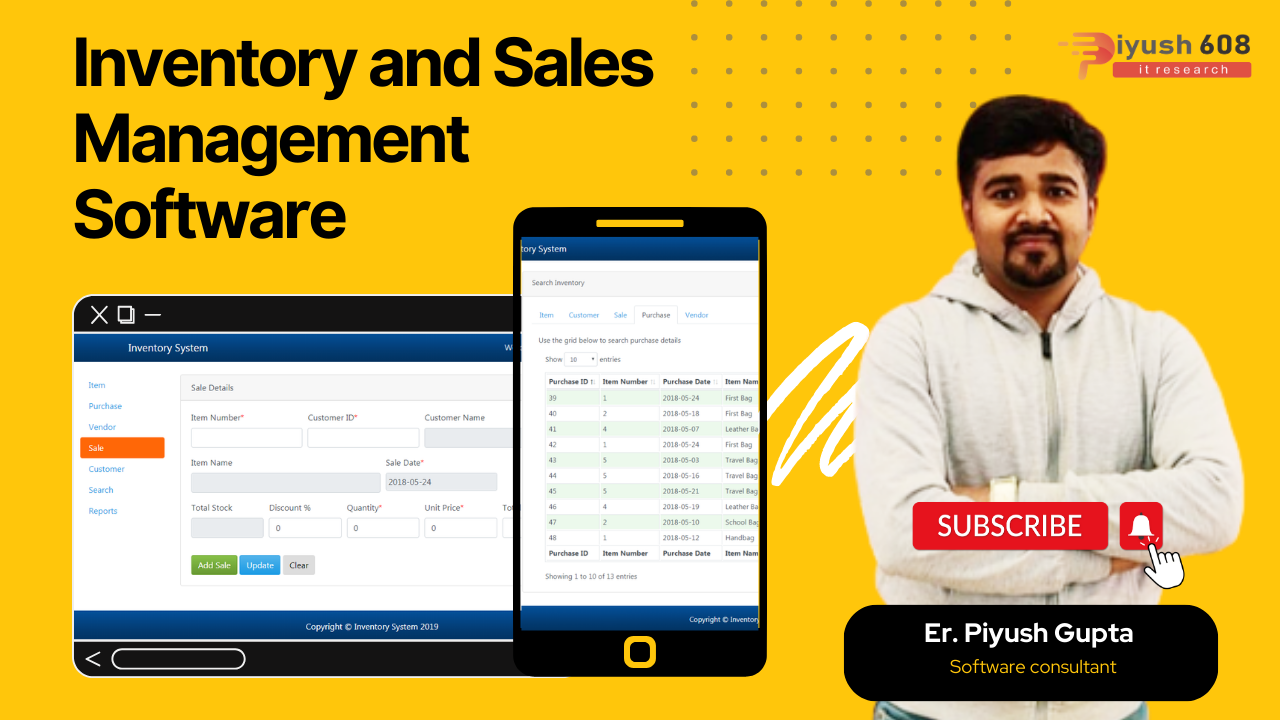
Complete Inventory and Sales Management System Using PHP MySQL Free Download The easiest way to manage sales and purchases as well as stocks! Create your own product, add brands, categories, groups, units, different attributes. It has powerful features to manage products, sales, purchases and inventory. Miscellaneous reports help in understanding the status of your business.
It is developed using Laravel 8.1, Vue.js and MySQL database. It’s easy to install and you’ll get free updates forever.
Looking to hire the best website development company in Delhi?
Piyush608 Delhi is a leading website designing company in Delhi, trusted for delivering visually appealing, easy‑to‑use, and performance‑focused websites. We help modern businesses establish a strong digital presence that enhances credibility, attracts quality traffic, and accelerates growth. Whether you are a startup or an established brand, Piyush608 offers custom website design solutions that are mobile‑responsive, SEO‑optimized, and aligned with your business goals. If you’re planning to take your business online or upgrade your existing website, connect with Piyush608 – Delhi’s reliable website designing company – and get a powerful website that truly represents your brand.
Features of Inventory and Sales Management System
- Dashboard – See all statuses of the application from dashboard and stay up to date.
- ReportsSet different types of reports automatically.
- Product management – Easily manageable products along with import and export functionality and print barcode for your products
- POS View – Manage Sales and Purchase with an attractive POS view.
- Offline sale – Sale offline for sudden drop of network connectivity to enjoy continuous sales experience.
- Return of ProductsManage Return products fully and partially.
- Credit Sale – Easily manageable credit sale.
- Multiple Payment methodPay with online payments like paypal and stripe along with offline payment methods for sale.
- Internal transfer – Manage Internal transfer from branch to branch easily.
- Shipment – Shipment functionality calculated with system accounting.
- Branch – Manage multiple branch wise sales, purchase, inventory and reports
- Cash register – Manage multiple cash registers for multiple branch
- Dynamic invoice – Design your invoice as want.
- Users & Roles – Manage your uses with different roles and permissions.
- Customers and Suppliers Information – Store more customers and suppliers information.
Server Requirements
- PHP >= 7.4.0
- OpenSSL PHP Extension
- PDO PHP Extension
- Mbstring PHP Extension
- Tokenizer PHP Extension
- XML PHP Extension
- Ctype PHP Extension
- JSON PHP Extension
- ZIP PHP Extension
- BCMath PHP Extension
How to install in root directory
- Download the zipped file from CampCodes.
- Upload the zipped file into cPanel / server.
- Unzip the zipped file. Inside the unzipped folder you will get two folders “Documentation” and “upload”
- Move all the items from the “upload” folder to the root directory.
- Go to your web browser and type “your_domain.name” in the Address bar and follow the easy installer procedures step by step and install the application.
- Create the database and remember these things for future usage.
- database_name
- username
- password
How to install in subfolder
- Download the zipped file from CampCodes.
- Upload the zipped file into cPanel / server.
- Unzip the zipped file. Inside the unzipped folder you will get two folders “Documentation” and “upload”
- Move all the items from the “upload” folder to /public_html/sub_folder directory.
- Go to your web browser and type “your_domain.name/sub_folder” in the Address bar and follow the easy installer procedures step by step and install the application
- Create the database and remember these things for future usage.
- database_name
- username
- password
Demo
Admin
Email: admin@demo.com
Password: 123456

Frequently Asked Questions (FAQ)
Q1. What is Inventory and Sales Management Software?
Inventory and Sales Management Software is a web-based system developed using PHP and MySQL that helps businesses manage products, track stock levels, handle sales transactions, and generate reports in a centralized platform.
Q2. What features are included in this software?
Common features include:
- Product and category management
- Stock/inventory tracking
- Sales and purchase management
- Customer and supplier management
- Billing and invoicing
- Reports and analytics
- Admin dashboard
Q3. Who can use this system?
This system is suitable for:
- Retail businesses
- Wholesale distributors
- E-commerce businesses
- Small and medium enterprises (SMEs)
- Inventory managers
- Developers learning PHP projects
Q4. What technologies are used in this project?
- Frontend: HTML, CSS, JavaScript
- Backend: PHP
- Database: MySQL
- Server: XAMPP / WAMP / Laragon
Q5. How do I install and run the project?
- Download and extract the source code
- Import the
.sqlfile into MySQL using phpMyAdmin - Configure database credentials in the configuration file
- Place the project folder inside the
htdocsdirectory (for XAMPP) - Start Apache and MySQL services
- Open the project in your browser using a localhost URL
Q6. Does the system track stock automatically?
Yes, the system automatically updates stock levels based on sales and purchases, ensuring accurate inventory records.
Q7. Is there an admin panel available?
Yes, the admin panel allows administrators to manage products, users, sales, inventory, and generate reports.
Q8. Can invoices be generated?
Yes, most systems include invoice generation for sales transactions, which can be printed or downloaded.
Q9. Is this project beginner-friendly?
Yes, it is suitable for beginners as it demonstrates important concepts like CRUD operations, database integration, and user authentication in PHP.